A better system for Modpack creators
View and manage info about external content in Modrinth modpacks.
Posted on June 22, 2026 Modrinth Team
Hey everyone,
Uploading modpacks can be annoying when you want to include mods or other content that can't be found on Modrinth. We're improving this by providing modpack creators the tools they need to make sure their content is allowed on Modrinth, and taking some of the work off your shoulders.
TL;DR
- See what content can be used in your modpack
- View and edit info about external content
- Modrinth will link to your mod, even when in the overrides folder
- These changes will make it quicker to publish on Modrinth
- Existing published modpacks are unaffected for now
Problem
There is an insane amount of content available for creators to use in their modpacks these days, but not all of it is hosted on Modrinth. Let's say you're a modpack creator, and you want to use this external content, whether it's a set of mods or a particularly customizable resource pack, you need to be sure you have the rights to do so.
Historically, our content moderators would help out by recording information on the licenses they found, and let creators know when they tried to publish something they probably shouldn't. Unfortunately, that system had a lot of flaws and wasn't built for just how big Modrinth would grow.
The biggest issues came down to not keeping creators in the loop, which led to us having out-of-date information, not knowing about the custom mod you made for your modpack, or our AutoMod system conflicting with our own human moderators. All these issues have regrettably led to modpacks being a source of review delays.
With this update, you, the modpack creator, will get the chance to find issues with your modpack and provide correct information about external content before you submit for approval. Your project page will even automatically credit external content once we have the right info! This means no more gambling with your project being denied just because you included the wrong mods, and no need to worry about putting links in your description that you didn't want there.
What this means for your projects
New modpack projects that have not yet been approved will be required to provide licensing information before review, and for any new versions uploaded after approval.
Existing projects that were already published before this release will temporarily be excluded from the licensing information requirement. At some point soon, new versions of those projects will also be required to provide licensing information.
Uploading a modpack with external content
Uploading a modpack with external content will still work mostly the same. Go through the normal version publishing flow, and if your pack contains external content, the version will be temporarily withheld after upload. You'll see a warning letting you know it was withheld because it contains external content of unknown origin, or unknown permissions.
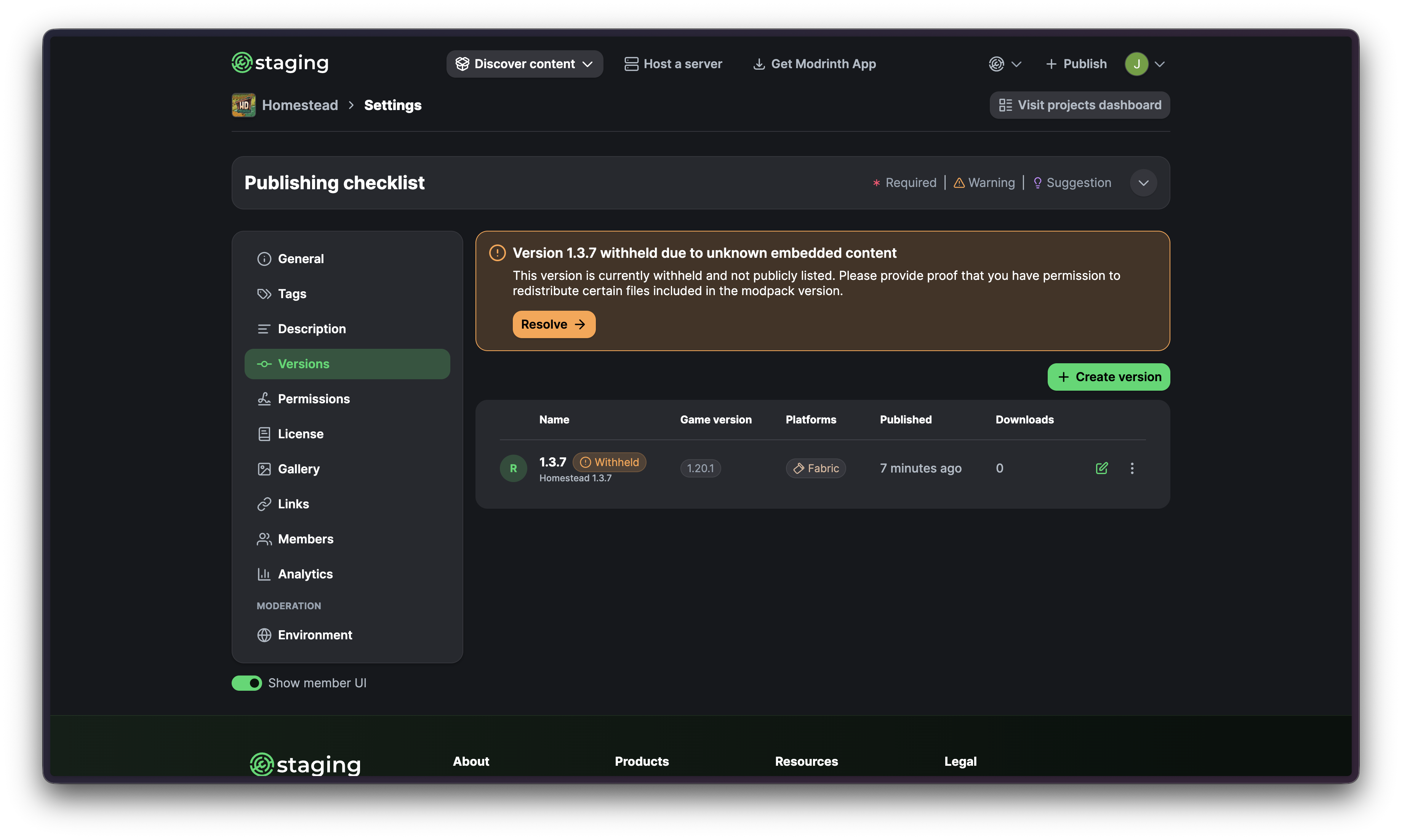
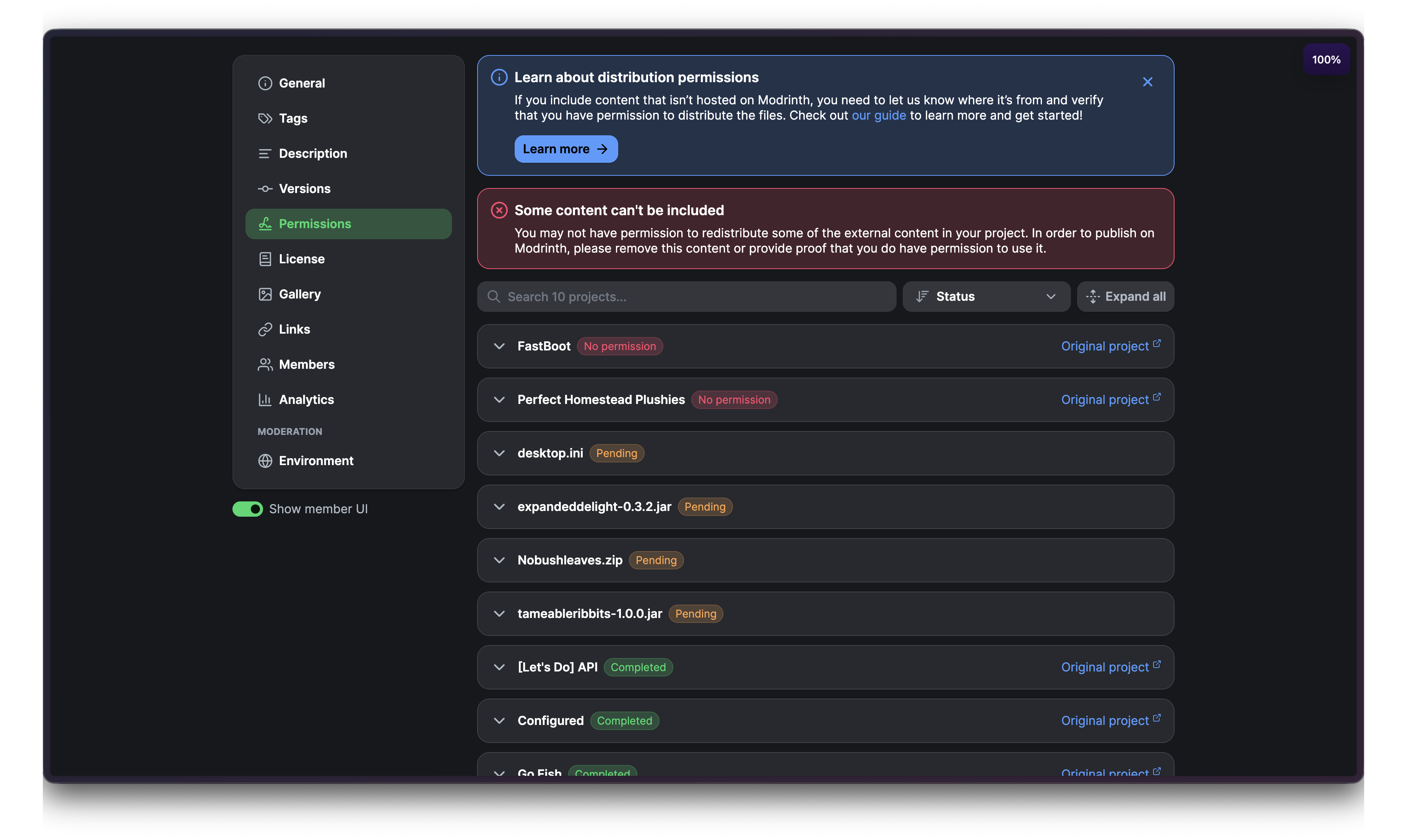
From there, you can open the new Permissions page to review any content that may be an issue, and provide the required licensing information.
Permissions Page
The new Permissions page shows all external content across every version of your modpack project. These files can be in one of several states:
- Pending
- You still need to provide information about this file’s origin and your permission to distribute it.
- Completed
- Information has already been provided, nothing left to do!
- Information rejected
- Moderators reviewed the information provided and were unable to confirm your ability to distribute the file. You’ll have to remove the file from your Modpack or update it with accurate information.
- No permission
- You’ll need to provide proof of your permission to distribute this file.
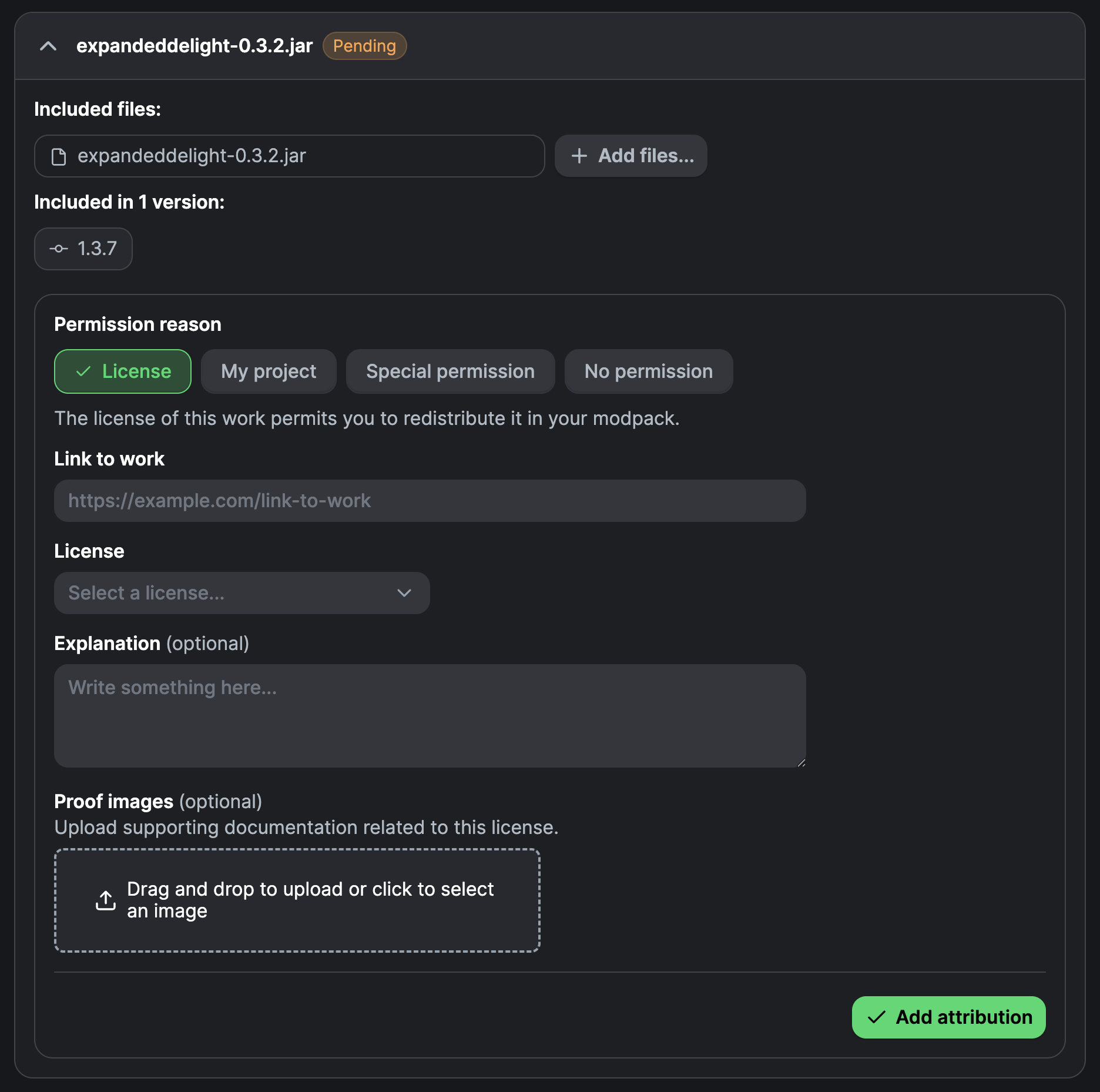
Pending is where you resolve missing permission information. From here, you can choose from four options and attach additional information, such as a link to the work or a short explanation.
- License
- The project's license allows redistribution.
Some licenses may require you link back to the project, don’t worry, we handle this automatically when you link to the source of the content.
- The project's license allows redistribution.
- Your project
- You own the project.
- Special permission
- You have verifiable permission from the content’s owner.
- No permission
- You do not have permission to redistribute the file.
How external content works across versions
External content files are grouped when we believe files come from the same project. This means if you upload a new version of your modpack with an updated version of a file you've already identified, you usually won't need to update your permissions again.
Our detection isn't perfect, but it should handle a lot of cases automatically. You can see which files and versions have been grouped together.
Review process
Once you've filled out the information for all external content, you can submit your project for review.
For now, existing published modpacks won't need to go through this process. We'll roll it out to existing projects in the future.